Tools/Equipment
How Do I Create a Support Ticket?
Easily create and track your support tickets through the Faprika Support System. Get in touch with our expert support team, who quickly answer your questions about your website.
Our customer support system lets you send questions about your website, or topics you would like information on, to the support team. Our support team reviews your requests as soon as possible and replies to you. We also provide support through a remote computer connection when needed. For this, we recommend installing the Chrome Remote Desktop application on your computer. You can find the detailed training document on installing the application here .
How to Create a Support Request?
Accessing the Support Page
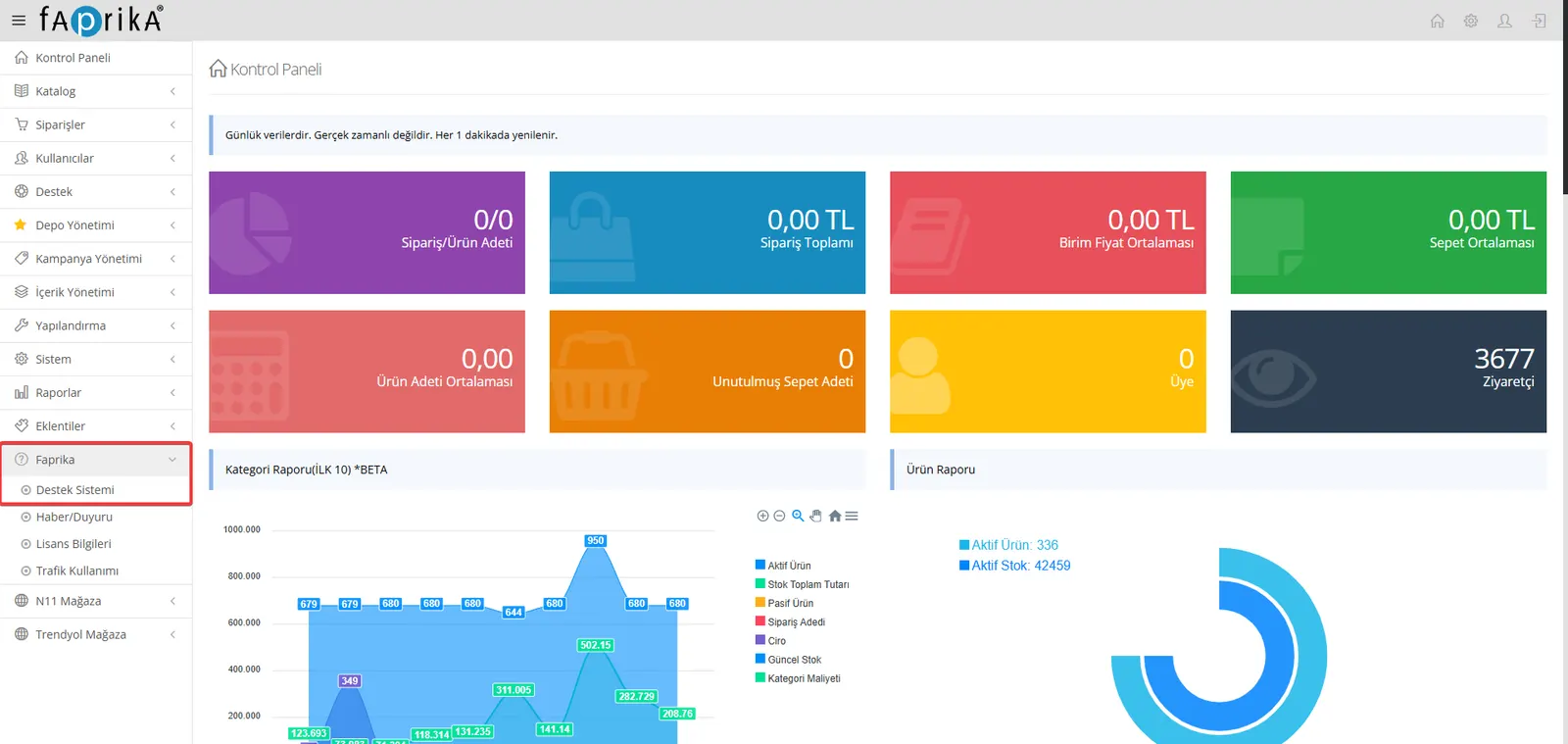
- Click the “Faprika” button in the left menu of your website’s control panel.
- In the menu that opens, click the “Support System” option.
Support Tickets
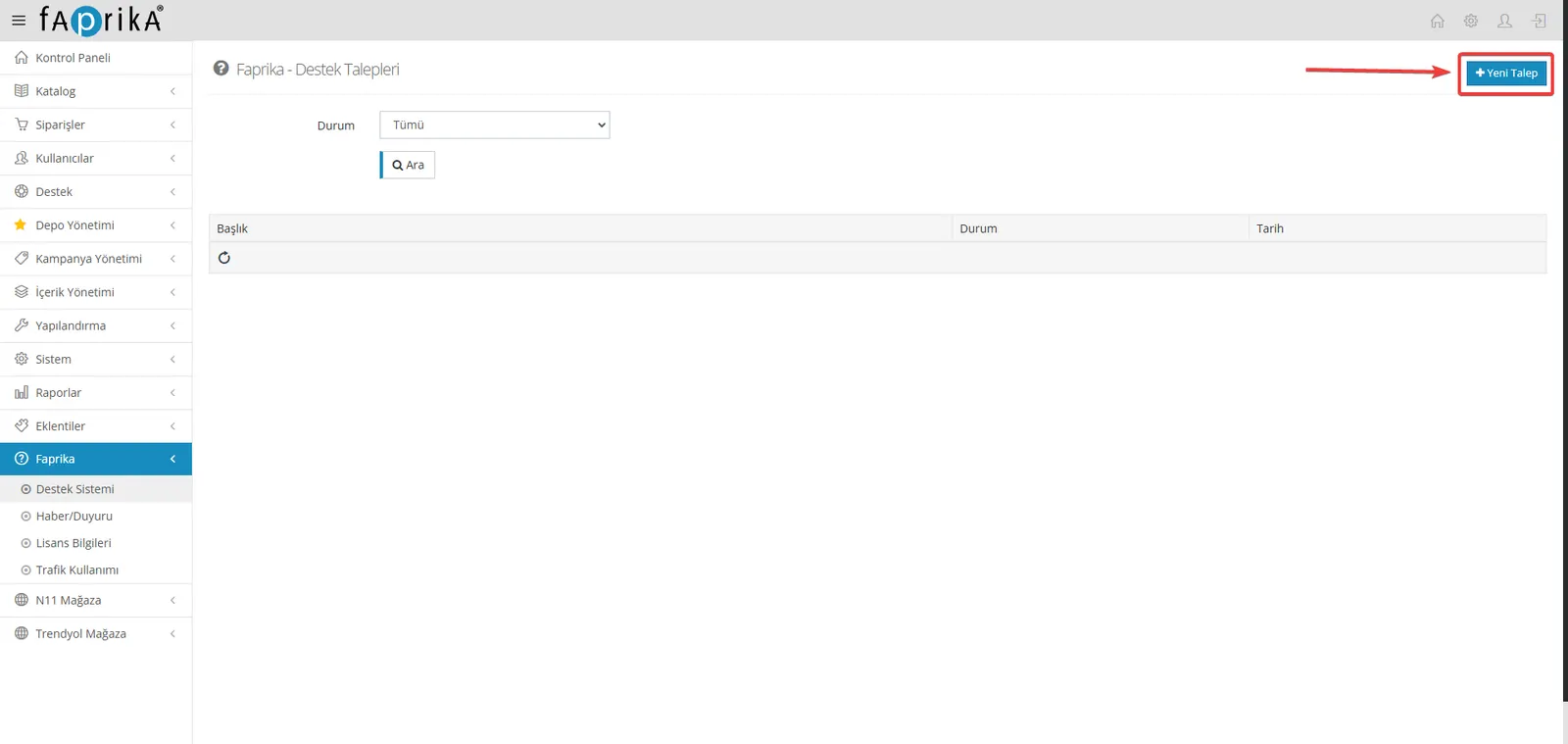
- In the “Faprika - Support Tickets” area, click the “New Ticket” button in the top right corner.
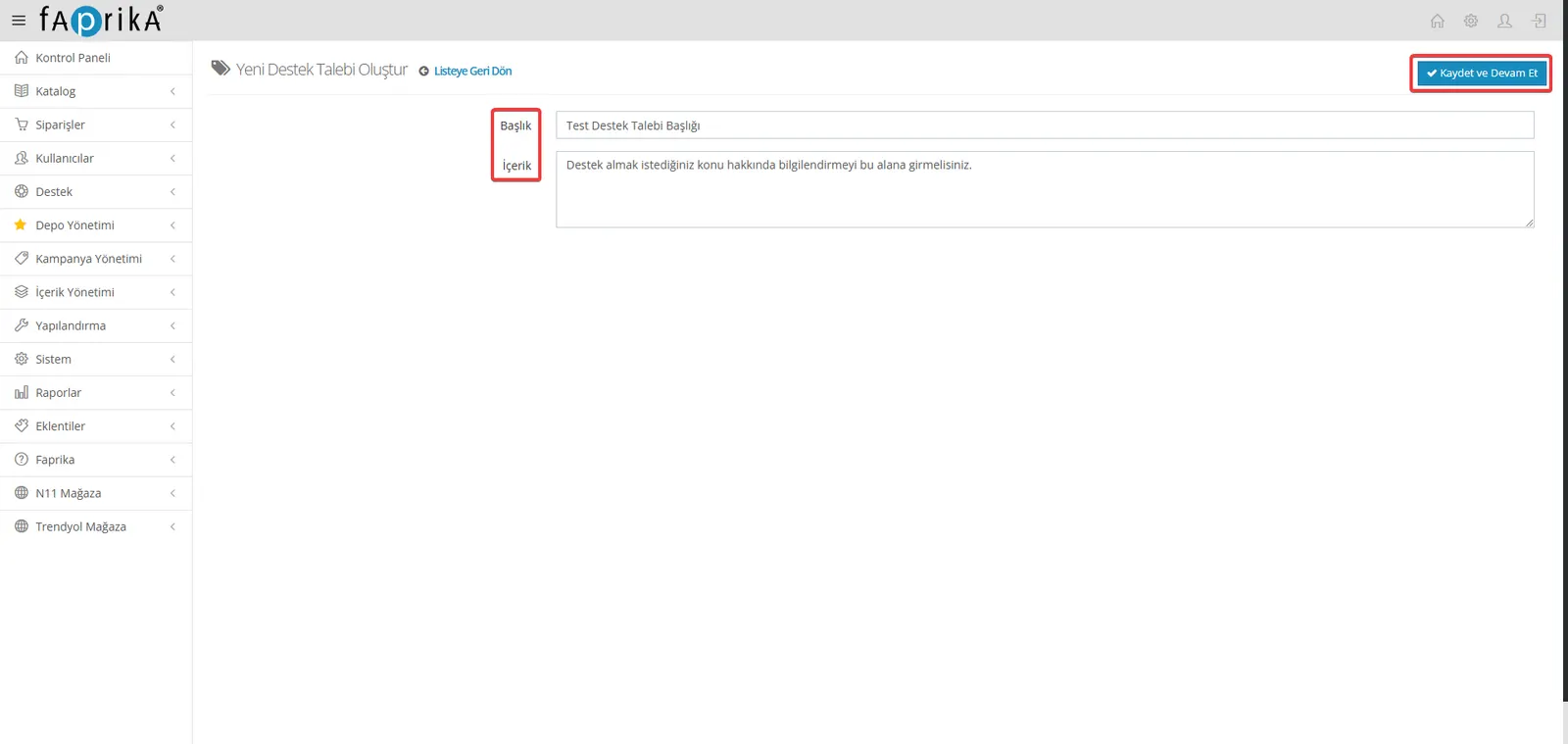
- In the form that opens, regarding the topic you want support on:
- Title: State the subject of your request briefly and clearly.
- Content: Write your detailed explanations in this field.
- After filling in the form, click the “Save and Continue” button to submit your support ticket.
Tracking Support Tickets
- Your request will be answered as soon as possible after it is reviewed by the support team.
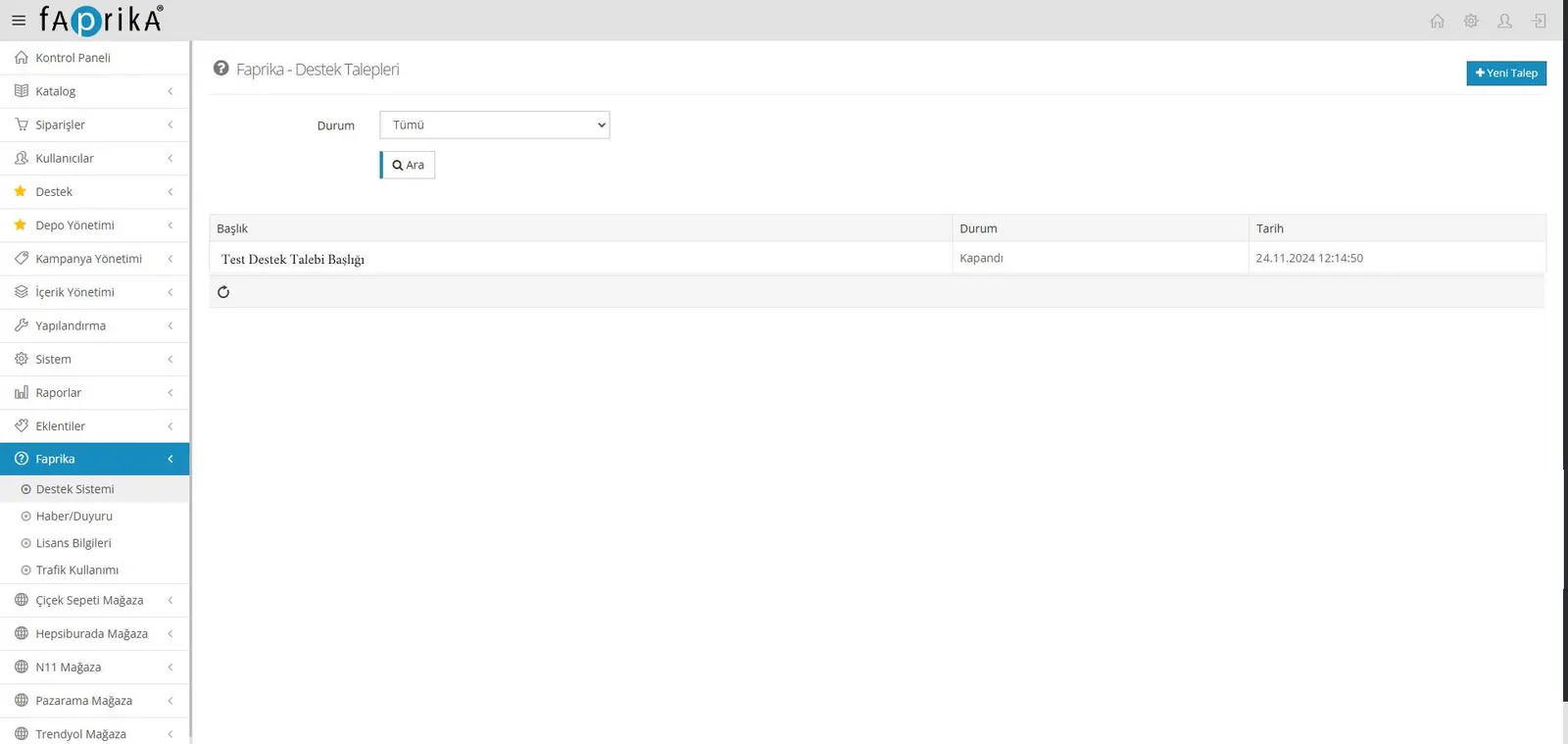
- In the “Faprika - Support Tickets” area:
- You can view the support tickets you have created,
- and easily access the replies sent by our support team.