
Add-ons/Integrations
Facebook Conversion API Setup
In This Tutorial
What Is the Facebook Conversion API?
It is an event tracking integration developed to avoid cookie-based problems encountered in pixel integration. Because the pixel connection transmits user data through the browser, it causes data loss in some versions of iOS. Thanks to the Conversion API integration, data is transmitted from both the browser and the server, preventing data loss.
How Is the Conversion API Created?
Follow these steps to create the Conversion API:
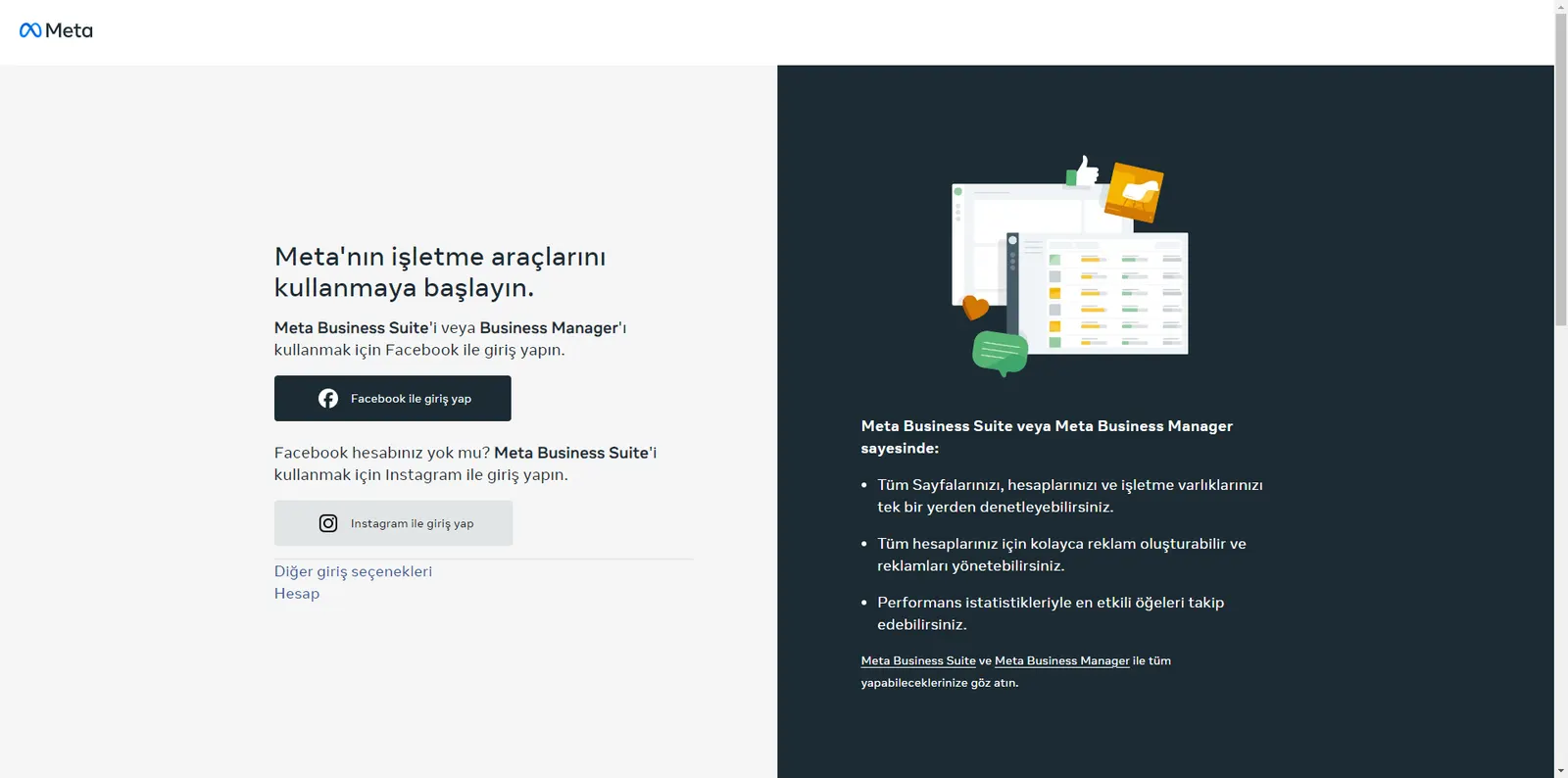
1. Go to Facebook Business Manager.
- Go to https://business.facebook.com/ and log in to your account
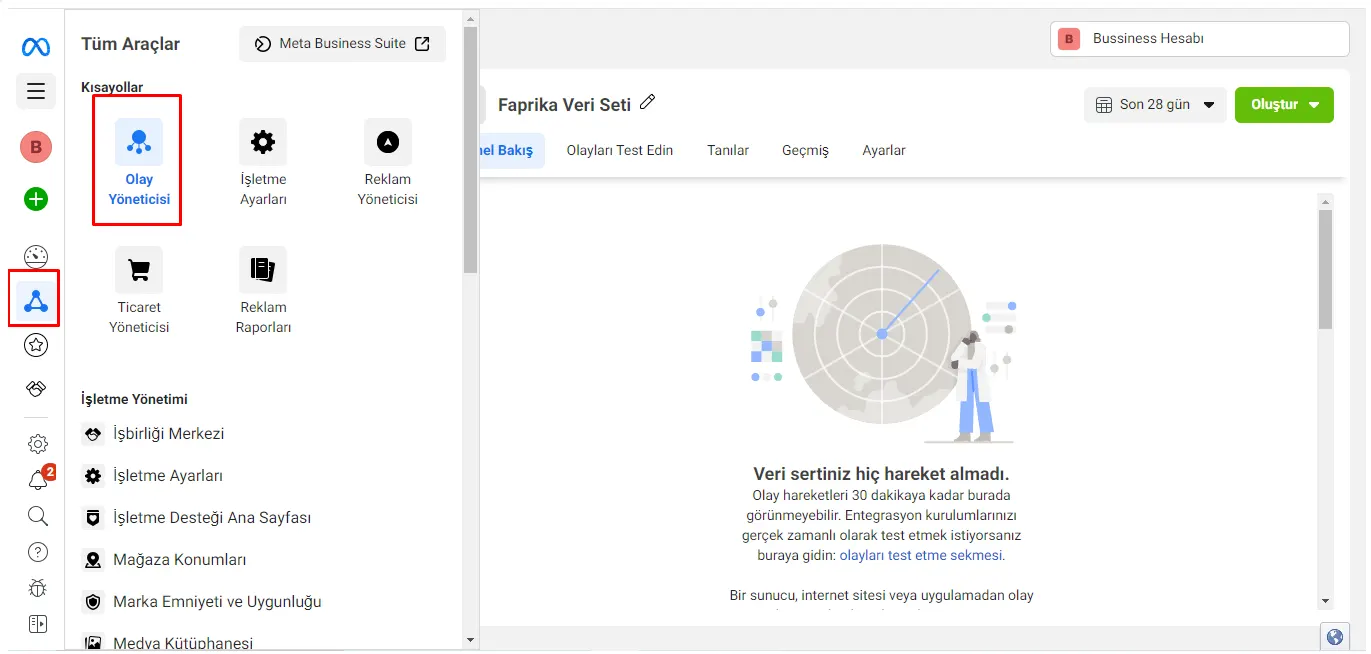
2. Go to Data Sources.
- Click "Business Settings" in the left menu.
- Go to the "Data Sources" tab.
- Choose from the “Events Manager” tab.
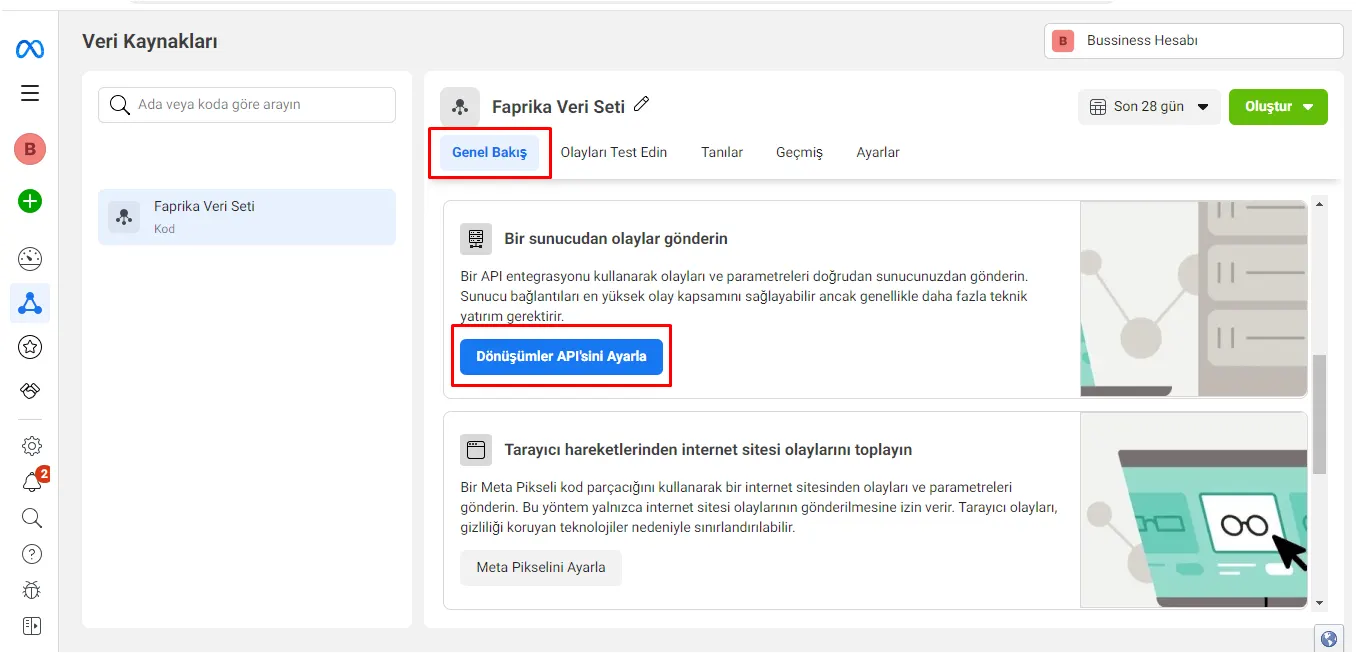
3. Open the Data Sources settings.
- In the "Overview" tab, click the Set Up Conversions API button.
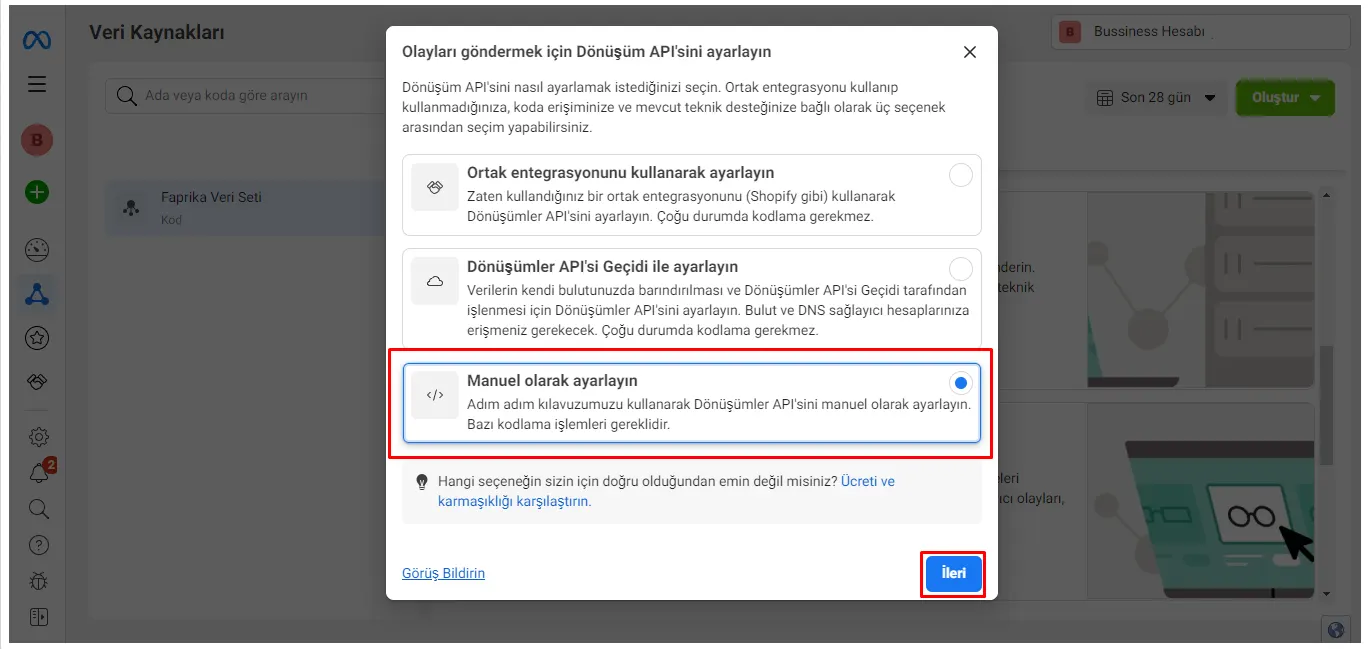
4. Enable the Conversions API.
- Select “Set up manually”.
- Continue with the “Next” button.
5. Connect actions with the Conversions API.
- Continue with the “Next” button.
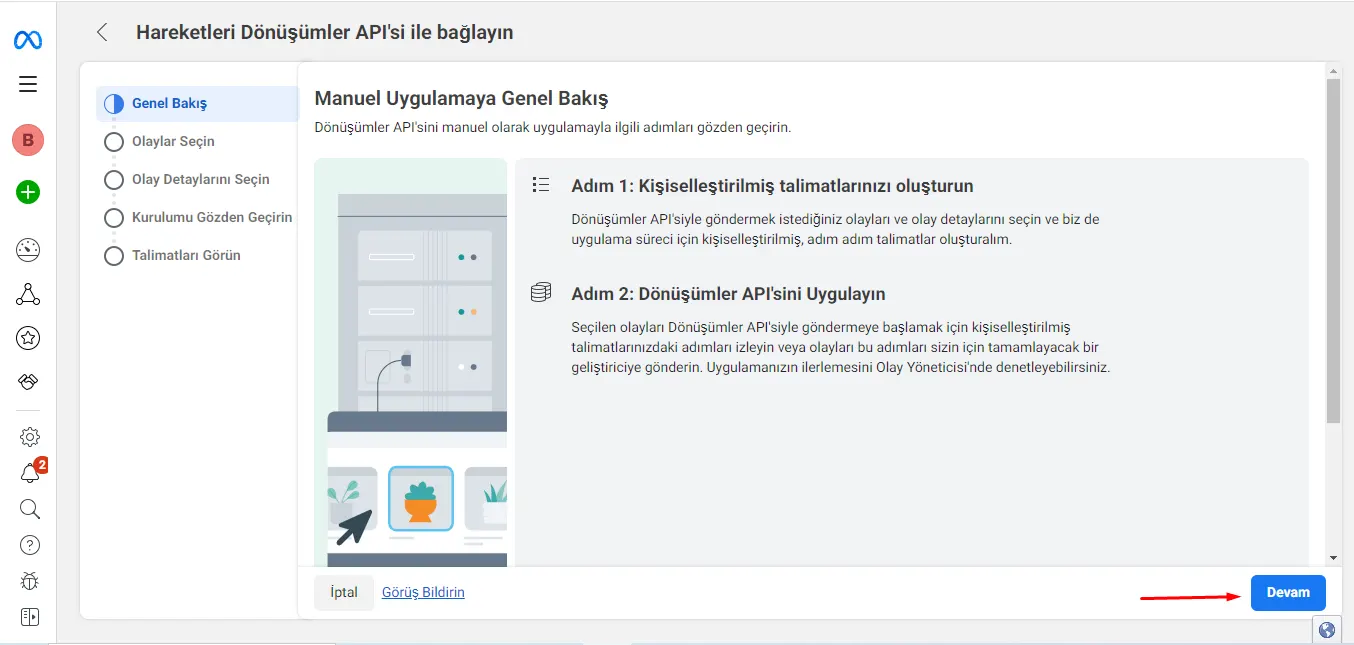
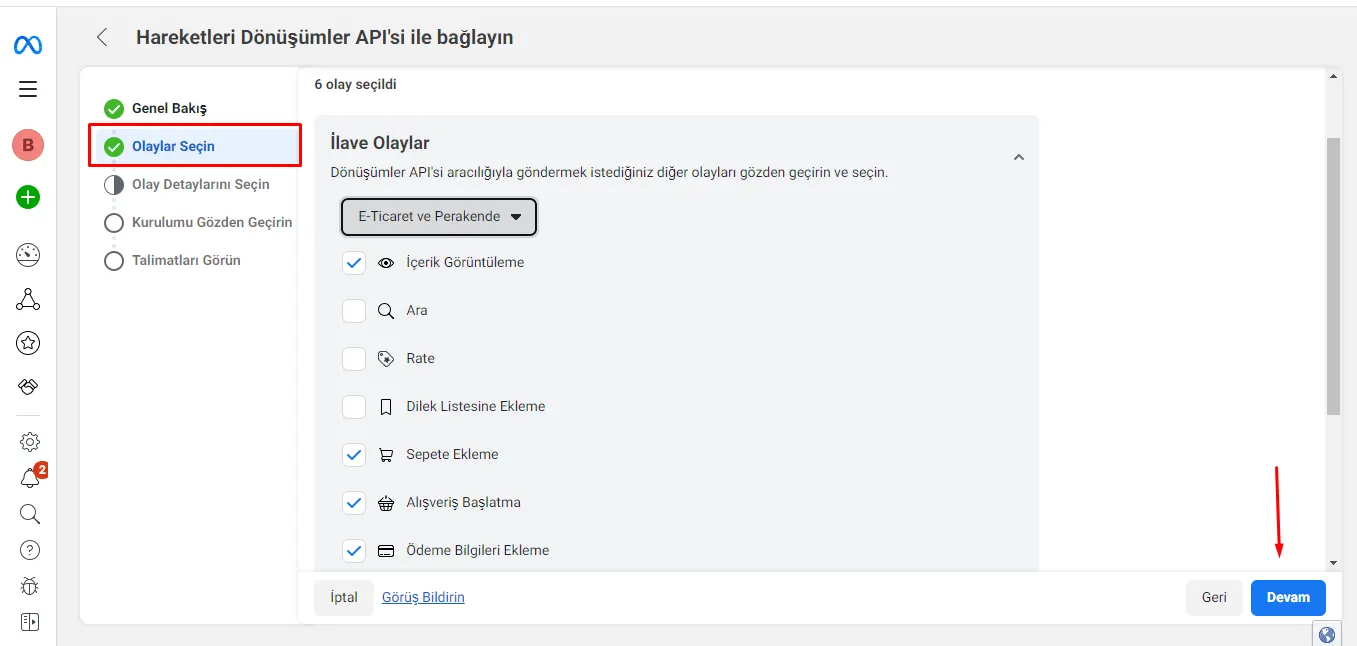
6. Choose from the Select Events field.
- Under “Additional Events”, select the events you want to track.
- Move to the next step with the “Continue” button.
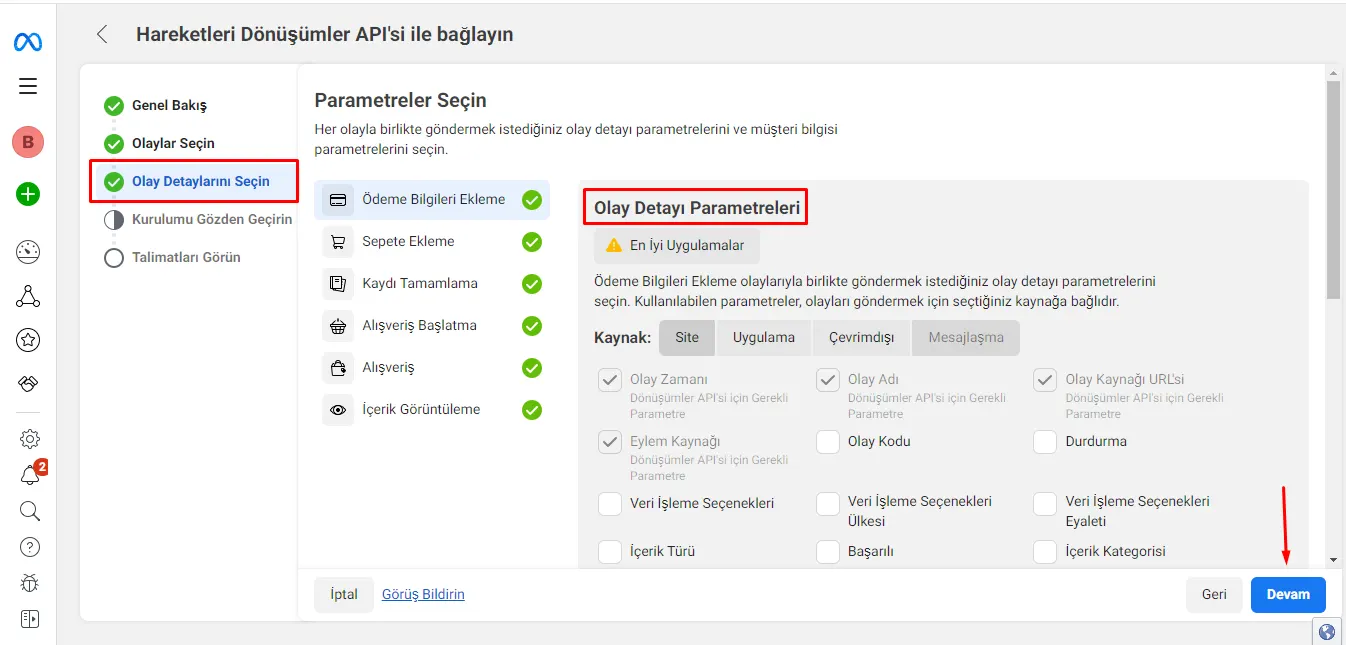
7. Select Event Details.
- In the “Select Parameters” field, choose the event detail parameters.
- Move to the next step with the “Continue” button.
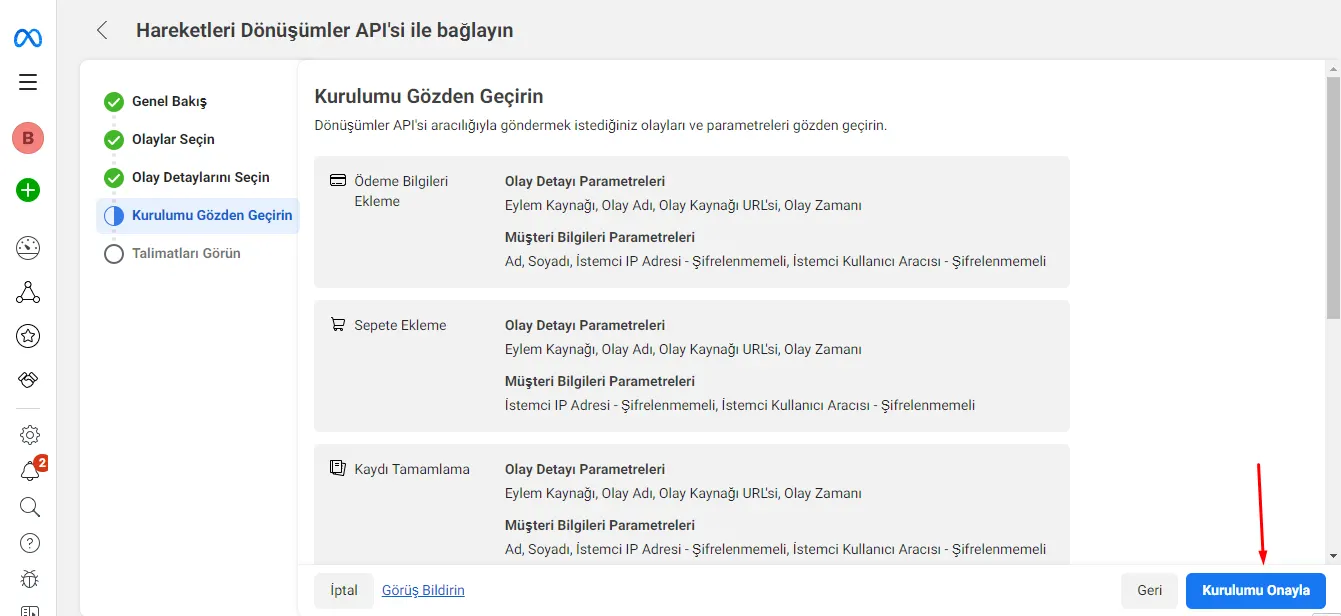
8. Go to the Review Your Setup field.
- Review your setup and continue with the “Confirm Setup” button.
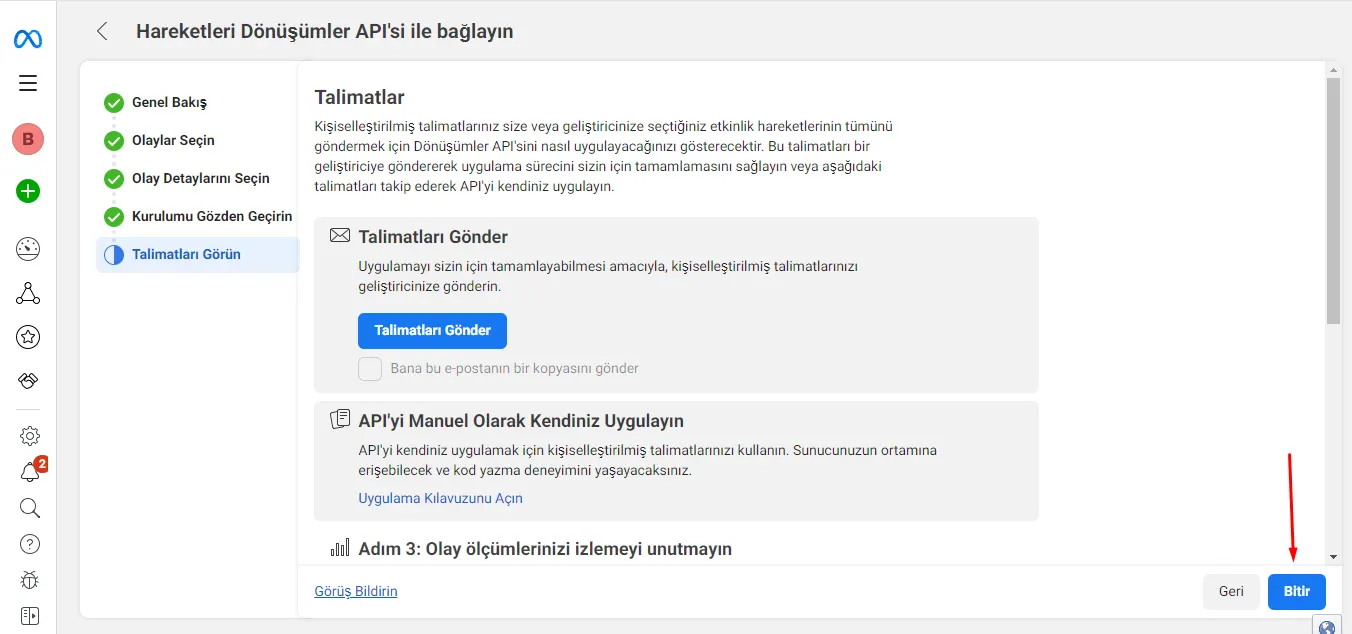
9. Switch to the View Instructions tab.
- Complete the process by clicking the “Finish” button.
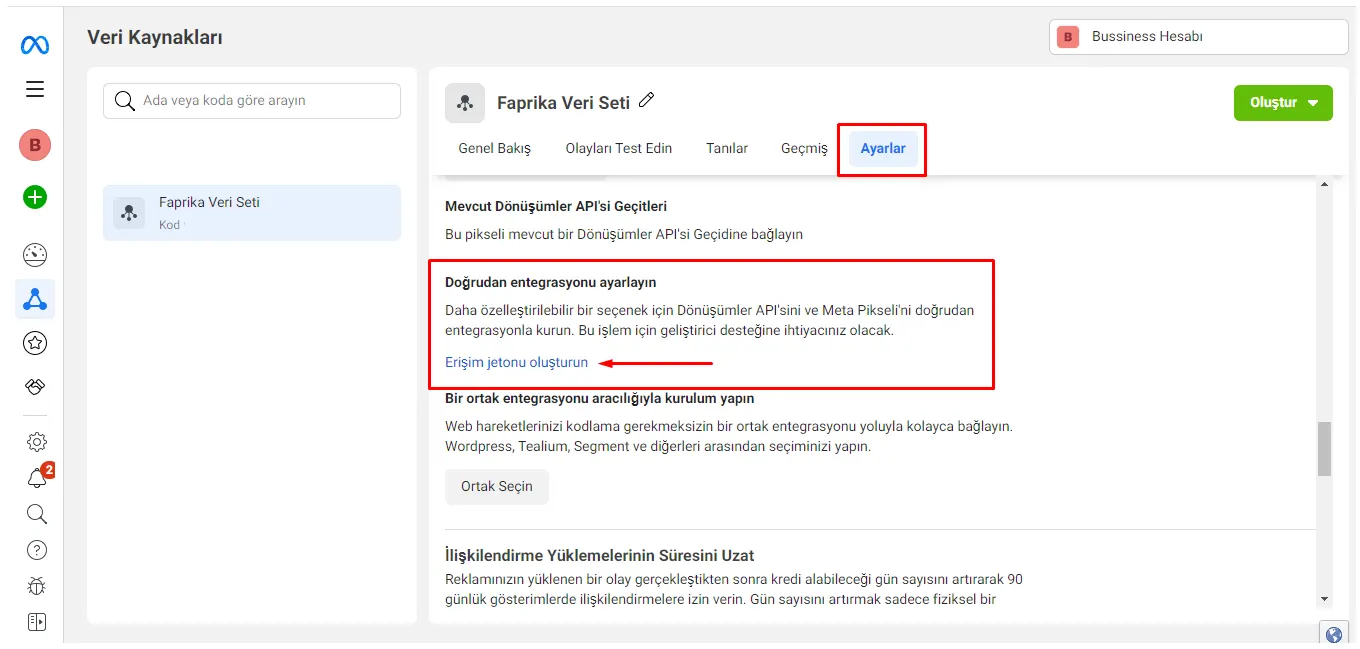
10. Go to the “Data Sources” tab.
- Switch to the “Settings” section.
- Generate a token with the “Generate Access Token” button.
- Copy the token you generated.
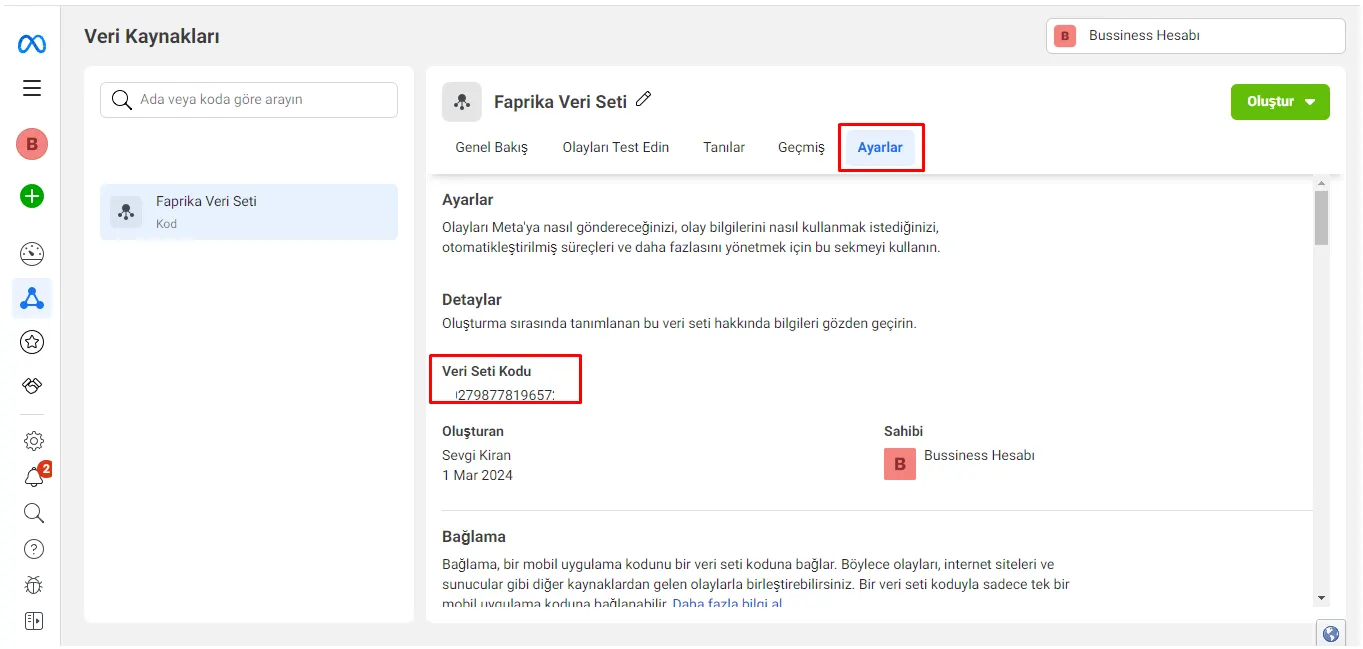
11. Go to the Settings section under “Data Sources”.
- Copy your “Dataset ID”.
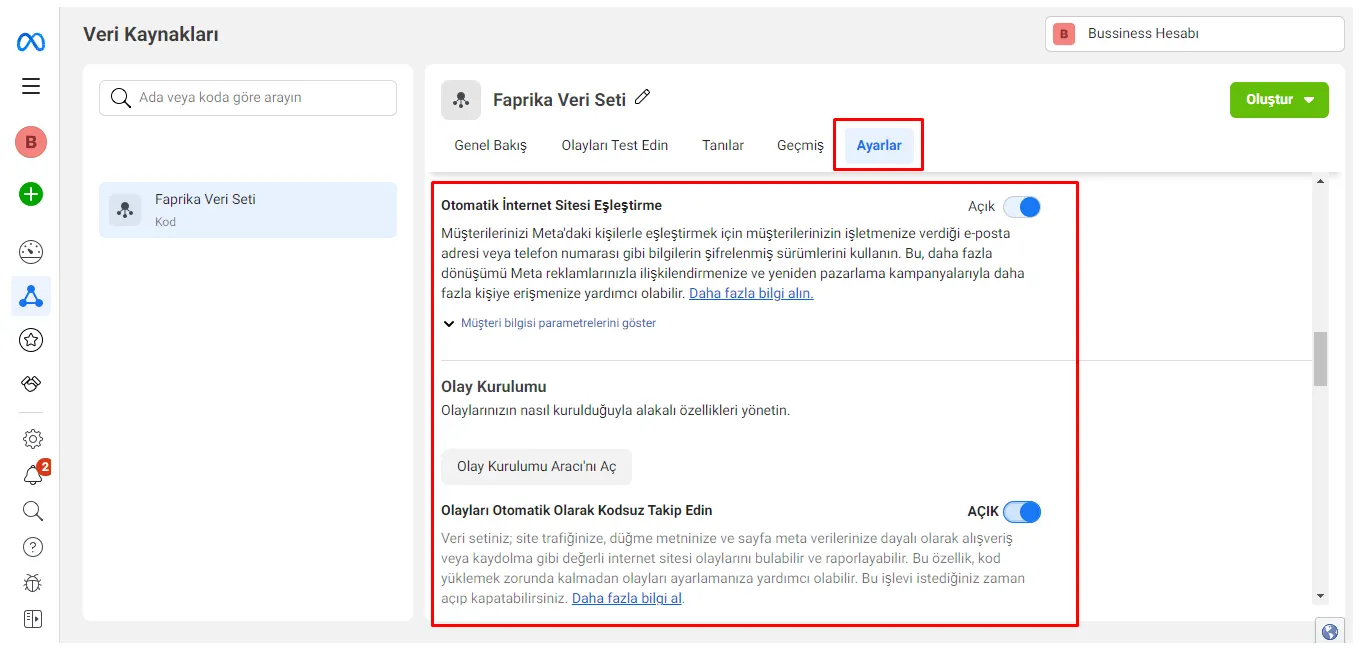
12. Go to the Settings section under “Data Sources”.
- Enable the “Automatic Website Matching” option.
- If you wish, you can also enable the “Track Events Automatically Without Code” option.
How Can I Integrate the Conversions API into My Faprika e-Commerce Site?
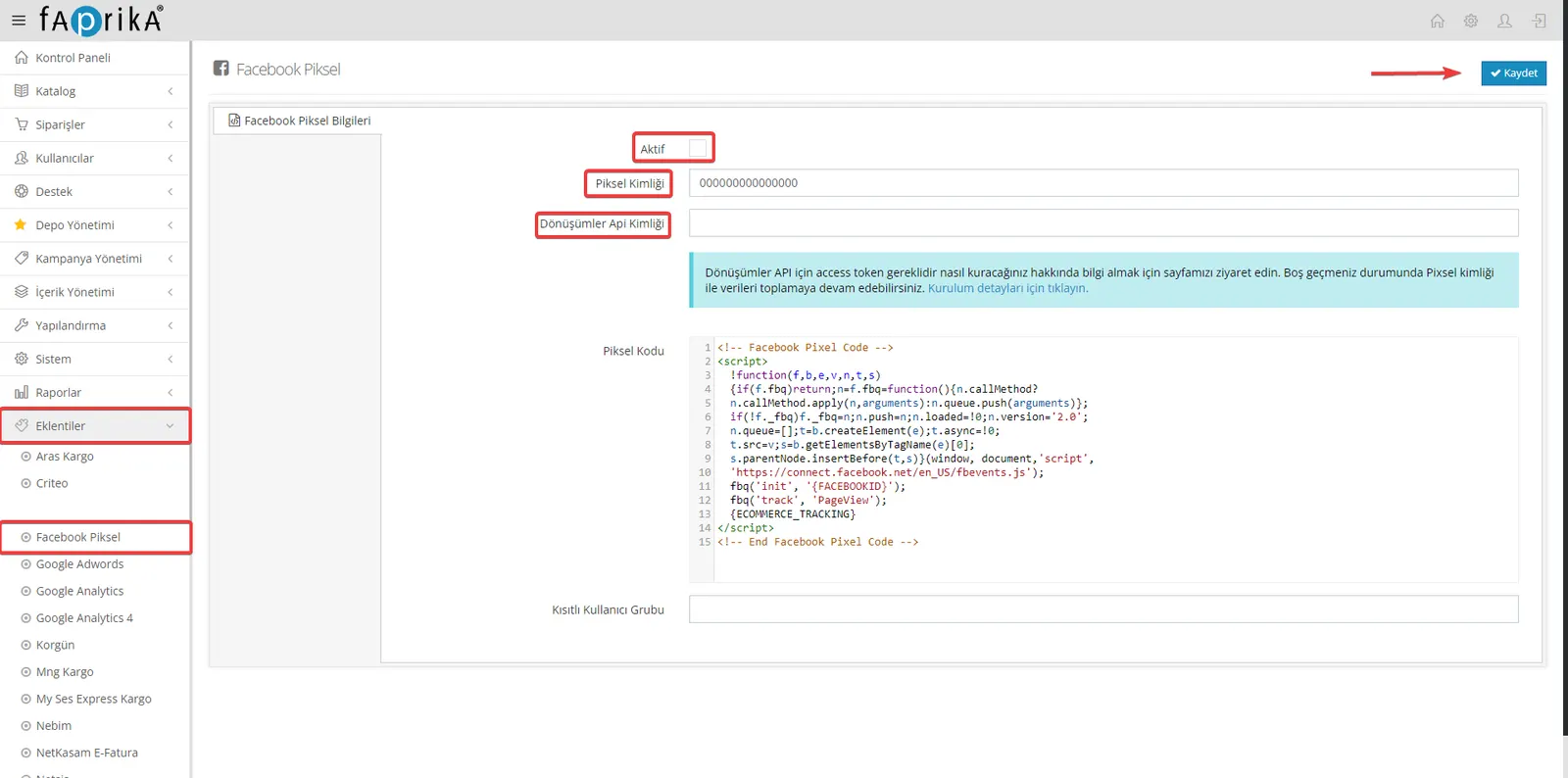
- In your e-commerce site's control panel, go to “Add-ons >> Facebook Pixel”.
- Paste your “Dataset ID” into the Pixel ID field.
- Add the Access Token we generated to the “Conversions API ID” field.
- Check the “Active” box and complete the process with the “Save” button at the top right.
- Congratulations, you are all set..
Facebook Conversion API (Conversions API) is a tool used to measure the effectiveness of Facebook ads. This API lets you report specific actions that take place on your website or mobile app (such as purchases, sign-ups and form submissions) to Facebook.
Traditionally, in Facebook advertising, such events are tracked in the browser through a small piece of code called a "pixel". In some cases, however, problems can affect the accuracy of browser-based pixels. For example, users delete cookies or use tracking blockers in their browsers. In such cases, it can be hard for advertisers to get accurate data.
Facebook Conversion API was developed to overcome these problems. This API lets you send event information directly to Facebook from your web server or mobile app. This way, you get accurate data regardless of users' browser settings. This helps you measure your ad performance more accurately and optimize your ad campaigns more effectively.
Using it may require some technical knowledge and can involve some complexity in configuring the application. However, the potential of Facebook Conversion API to provide advertisers with more reliable and accurate data is of great importance.